Settings
What it is: your account. Open it from the Settings tab or your avatar menu.
Why it helps: see your plan, add teammates, and get a key if you want prices in your own spreadsheet or app.
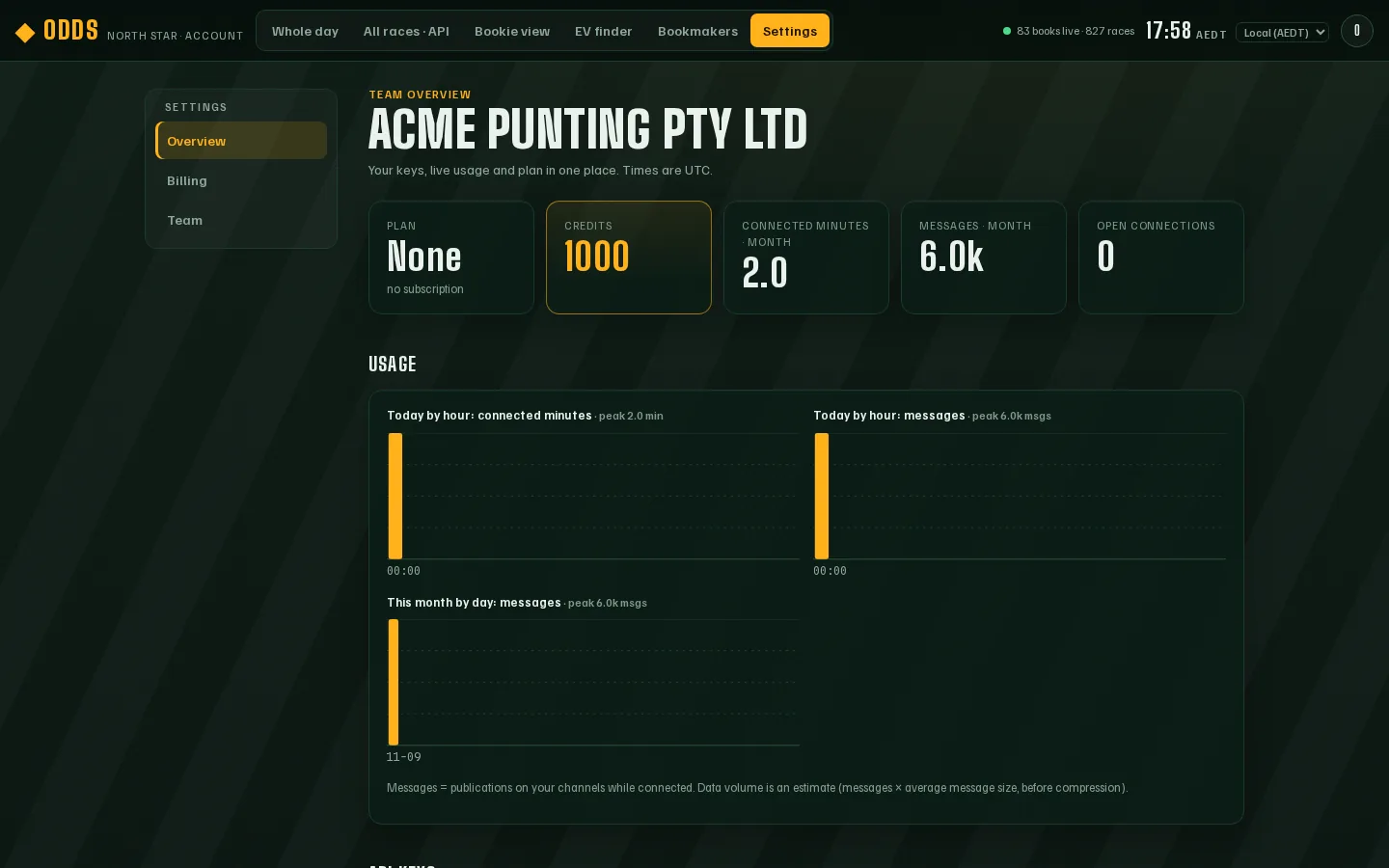
Overview
Section titled “Overview”Your plan, how much you’ve used this month, and your API keys.
Billing
Section titled “Billing”Your plan and what you’ve used. Questions about price? Ask us.
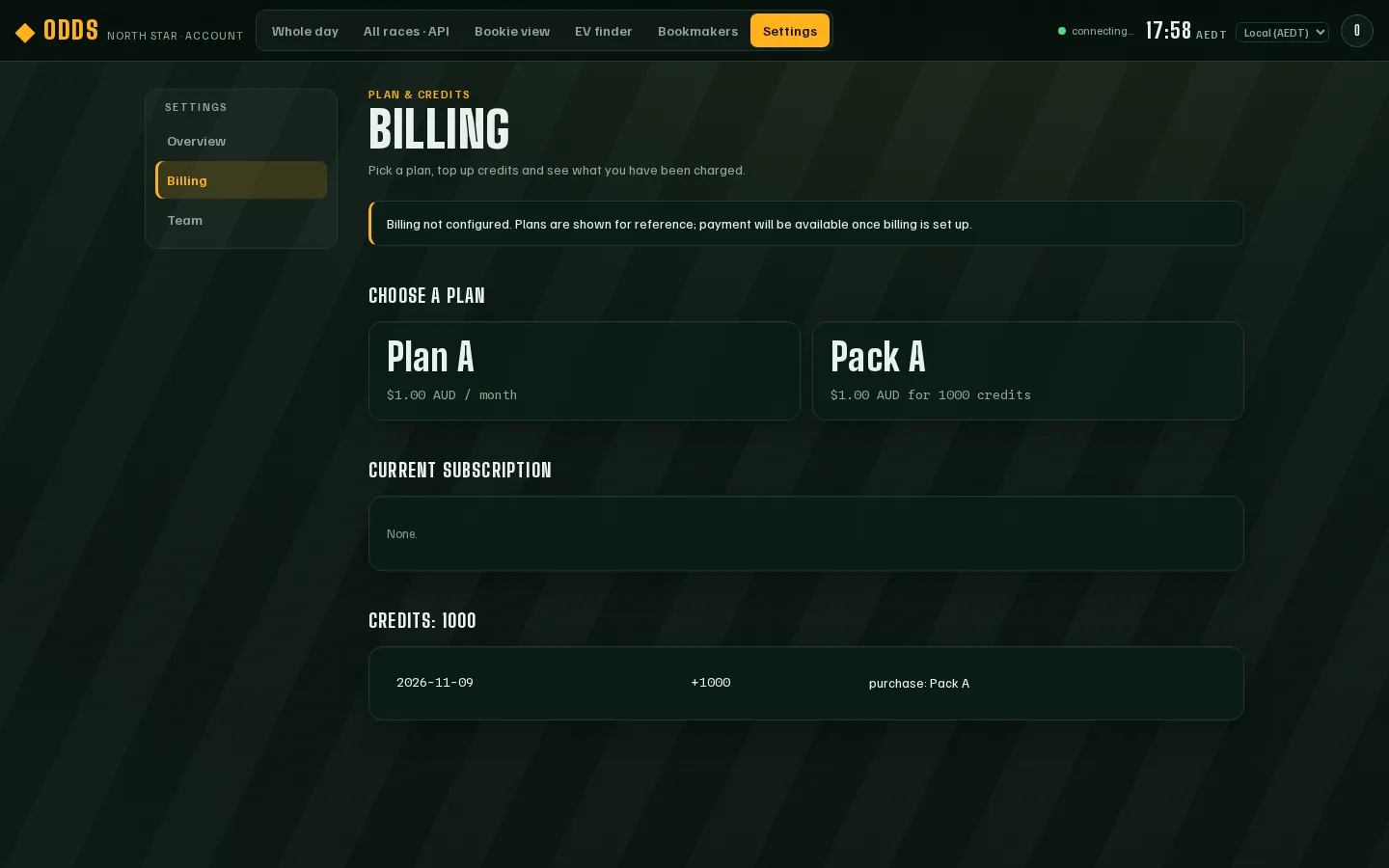
Team — add a teammate
Section titled “Team — add a teammate”- Go to Settings → Team.
- Under Add a member, type their email and a starting password (at least 10 characters).
- Pick a role: Member (can look) or Admin (can also manage the team and keys).
- Press Add member. No email is sent — give them the password yourself.
API keys — only if you want the data elsewhere
Section titled “API keys — only if you want the data elsewhere”An API key lets your own spreadsheet, bot or app receive the same live prices. You don’t need one to use the website.
Create a key
Section titled “Create a key”- Go to Settings → Overview and scroll to Create a key.
- Type a label you’ll recognise, like “My spreadsheet”.
- Press Create key.
- Copy the key straight away. It’s shown once only. Keep it secret, like a password.
Revoke a key
Section titled “Revoke a key”If a key leaks or you stop using it, press Revoke on its row. It stops working straight away and can’t be turned back on.
Setting up the connection is in the developer docs.
Odds compares prices only. It is not a bookmaker, takes no bets and does not tell you what to back. Prices come from licensed Australian bookmakers' public sites and can change at any moment; always check the price with the bookmaker before you bet.
18+ · Chances are you're about to lose. For free and confidential support call 1800 858 858 or visit gamblinghelponline.org.au